Computer Science Lesson Plan
Class: 3rd - Lesson: 12 Real Time Program

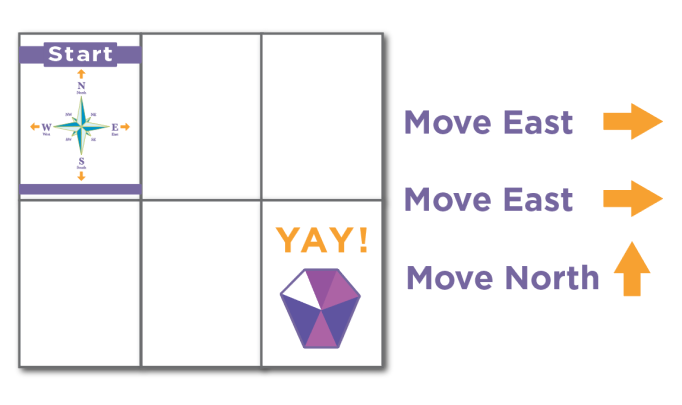
Purpose: To learn to use and write computer code through games, and to learn directions using code.org arrows (Course A).

No. of Classes

One or two classes (teacher's decision).

Material Required

Code.org (unplugged activity), paper, pencil or pen.

Curriculum Content
  • 4.1) Grid activity (Direction)
  • Prior Knowledge

    Students should know:

  • How to use the mouse and keyboard, and the left, right, up and down arrows.
  • Exercise

    Exercise 1


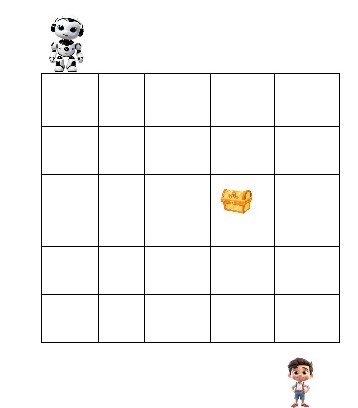
    • Write the code (using arrows) to find the treasure or fruit in the maze game examples below.

    Example 1


    No Image

    Example 2


    No Image

    Exercise 2


    • Find the treasure in the grid activity.
    No Image

    Exercise 3


    • Write the code (using arrows) to find the solution for the cup activity given below.
    No Image

    Exercise 4


    • Write the code to find the treasure in the maze game below.
    No Image

    Solutions


    Teacher Instructions
    1. Help the students draw a grid on the floor, or use paper to play.
    2. Help students make moves using arrows, so that the smiley reaches the fruit.
    3. Check whether the students' code (left, right, up and down arrows) works correctly and reaches the final destination.
    4. Help students find any problems in their code and fix them until it works properly.
    5. Ensure that all students in the group understand the directions and the whole exercise.
    6. Help students use different directions to reach the destination.